Injection simulation on a 3D face scan: filler, botulinum toxin and fat
Injection simulation in DooDeeClinic works on the client’s own 3D face scan. A clinician chooses filler, botulinum toxin or fat and presses the face where the injection would go, and the face shows a settled simulation of it while the client watches, so both talk about the same picture. Every view is a simulation for communication, not a guaranteed result.
How an injection is placed
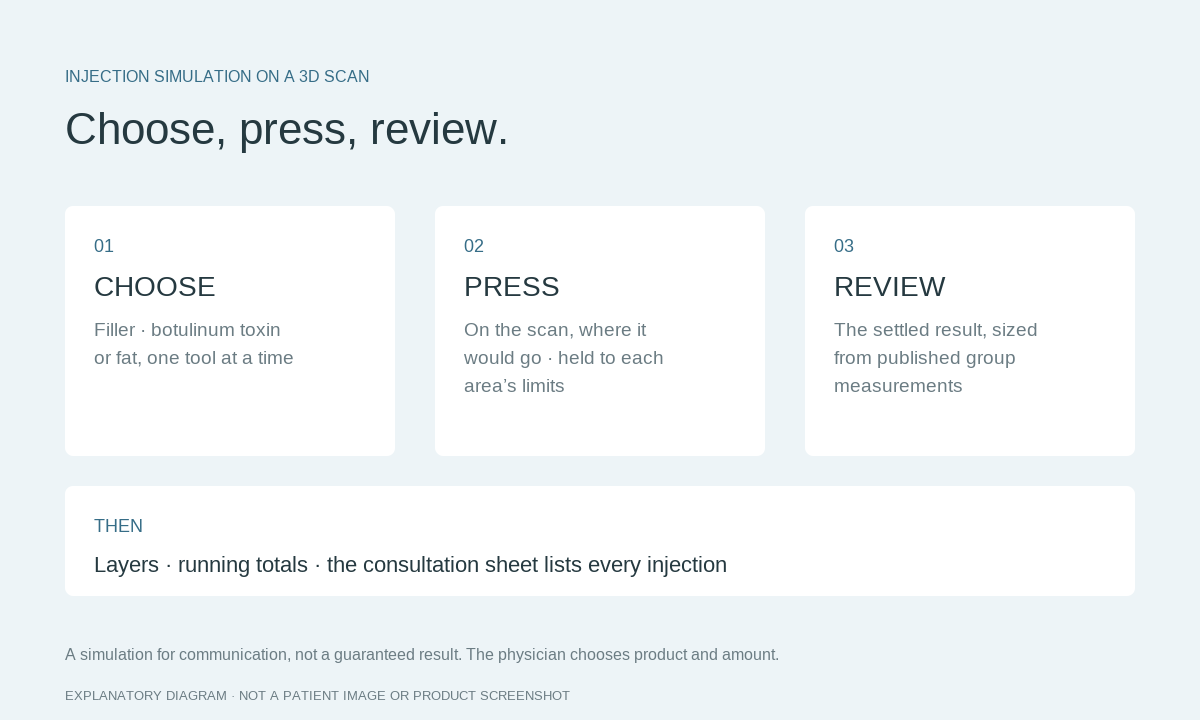
The medical tab has three tiles: filler, botulinum toxin and fat. Choosing one arms the tool. On the simulation a thin ring lies on the skin under the pointer, sized to the area the product spreads over. Pressing shows a syringe standing on the skin with the running total beside it; letting go places the injection, and the syringe fades away. No mark is left on the face, so the picture the client sees stays clean.
A press next to an earlier injection of the same kind adds to it instead of starting a new point. Each injection appears in a list with − and + keys to change its amount or remove it, and the screen keeps a running total for each product.
Held to the rules of each area
Every press is checked against the zone it lands in: whether that zone takes the product at all, the least and the most per side, and the overall ceilings for the visit. A press on an area that does not take the product moves to the nearest zone that does, when one is close enough, or is refused with a reason. When the rules hold a press to a different amount, the screen says so instead of changing it silently.
- Filler: the volume shows where it is placed, spread as wide as that volume needs.
- Botulinum toxin: shows the muscle’s action easing, for example the jaw line at the masseter, never beyond the most that has been measured.
- Fat: shows only the share of grafted fat that studies report staying, not the whole amount injected.
- Fat reduction under the chin: simulated as volume taken away.
Why the change looks the size it does
The size of each change follows published studies that measured faces before and after treatment: how much 1 mL of filler raises the skin in each area, how much grafted fat is still there months later, and how far the masseter narrows after botulinum toxin. The simulation shows the settled result, not the swelling of the first days. Those studies report group averages, and people respond very differently, which is why every view carries a simulation watermark.
Our articles explain those figures with their sources: what 1 cc of filler does in each area, botulinum toxin units at the jaw, and how much grafted fat stays.
Layers, comparison and the consultation sheet
Injections are saved in the case’s layers together with surgical and thread-lift simulations, so a clinic can show one plan, hide it, or compare two. The original scan and the simulation turn to any angle, and the consultation sheet lists every injection with its area and amount for the clinician to review with the client.
What the simulation cannot show
A face scan records the outer skin, not muscle, fat pads, vessels or bone. The simulation therefore cannot show where an injection is safe, how deep it should go, how long it lasts for this person, or whether a complication will occur. Choosing a product, an amount and a technique is the physician’s decision after an examination; DooDeeClinic recommends no dose.
Every view in DooDeeClinic is a simulation for communication, not a guaranteed result, and does not replace a physician’s examination and advice.