
Consultation sheet and exports for aesthetic clinics
After a simulation, DooDeeClinic gathers the plan into a consultation sheet the client can take home: the original scan and the simulation side by side from several angles, a comparison video and a PDF. The clinic can add its own quotation and later record what was actually used. Every file carries a watermark saying it is a simulation for communication, not a guaranteed result.
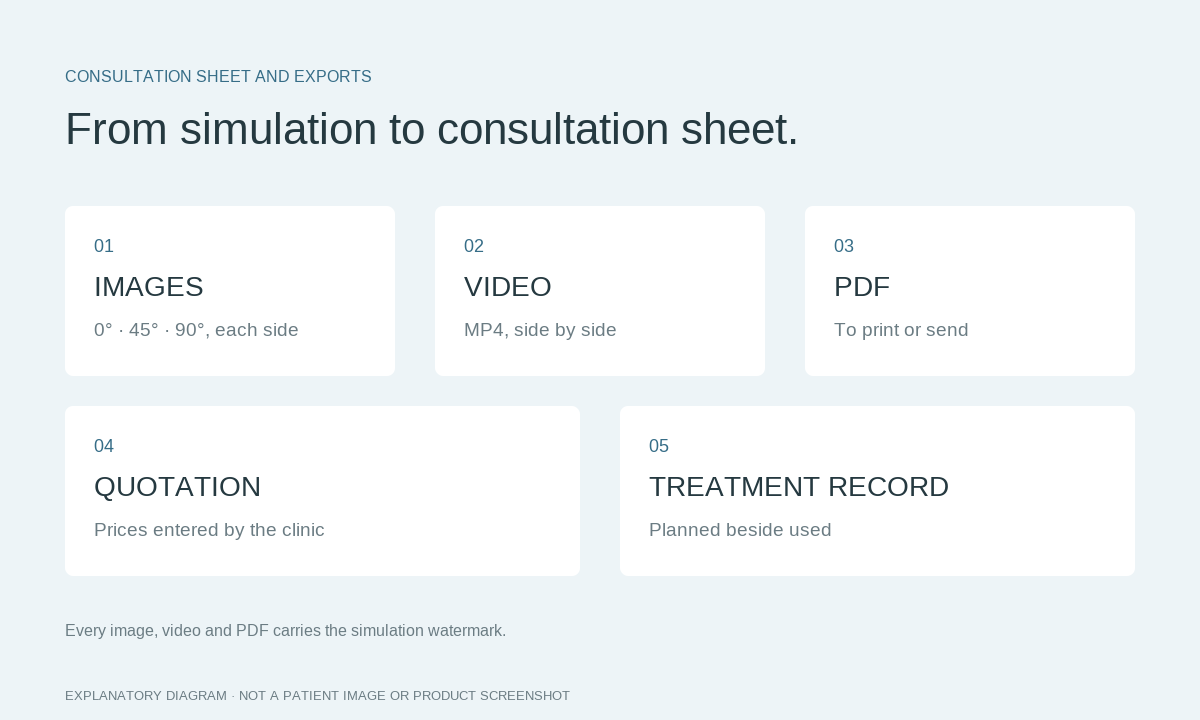
What the consultation sheet holds
The “Summarise and export adjustments” button under every tab opens a sheet that shows the original scan beside the simulation from the front and at 45° and 90° on each side. It lists every injection with its area and amount, the volume change by facial zone, and the face’s vertical and horizontal proportions. Skin analysis findings can be added as their own section, and there is a field for the treating physician.
The sheet can be saved as a PDF or printed, and the simulated 3D model can be exported as a GLB file for the clinic to open in other 3D software.
Images and video
Each angle can be saved as an image, and an MP4 comparison video plays the original scan beside the simulation, angle by angle. Every picture is drawn from the live view, so what the client saw is what they take home. The export page also offers a slider comparison and a side-by-side view.
The clinic’s own quotation
Every price is entered by the clinic; DooDeeClinic never suggests or invents one. A quotation is added to the PDF only when every item has a price and it has been checked against the plan, so a missing price is never hidden. The clinic decides whether the client’s name appears on the PDF.
A treatment record: planned beside used
After treatment, the clinic can record what it actually did for the case, procedure by procedure, with the amount the simulation planned beside the amount used. The list covers face and body procedures, and the clinic can add its own. Over time, a clinic can read its simulations against its own practice.
Watermarks and locked figures
Every image, video and PDF carries a bilingual watermark saying it is a simulation, not a guaranteed result. Medical figures in millimetres stay locked until a named clinician confirms the scan’s scale, so a document never shows a figure nobody has checked.
Every view in DooDeeClinic is a simulation for communication, not a guaranteed result, and does not replace a physician’s examination and advice.