
Three 2D Facial Views and a 3D Model: What’s the Difference?
“Seeing another angle” can describe two different experiences. Three separate 2D facial views are not the same thing as a 3D model. DooDeeApp and DooDeeClinic serve different users and use different visual formats. Understanding the distinction helps you choose a demonstration, describe the information you have and ask clearer questions about what a view can show.
Start with the user and the visual format
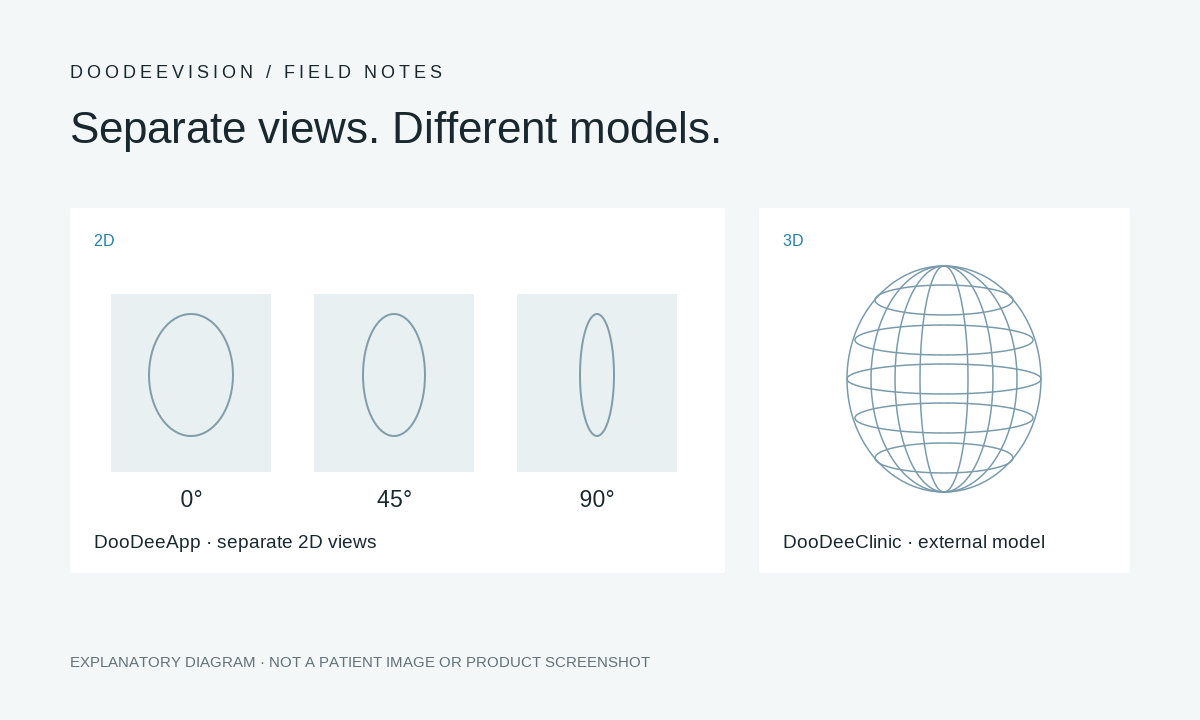
DooDeeApp is a consumer product for facial analysis and 2D procedure simulation. It presents front-facing 0°, oblique 45° and side-facing 90° views. These are three 2D perspectives, not a rotatable 3D model.
DooDeeClinic is 3D software for clinic teams. A facial model is created on a phone in an external capture application, then imported into DooDeeClinic for viewing and adjustment alongside consultation. DooDeeClinic does not itself perform the external capture step.
Ask what goes in and what comes out
For a DooDeeApp demonstration, ask what inputs are required, how each of the three views is prepared and how the original view is distinguished from a simulation. Do not assume that an image, report or sharing option is available just because it is familiar from another application.
For DooDeeClinic, describe your external capture application, device, application version and export settings. Ask whether that particular workflow can be supported and how the model is imported. A 3D export from one application should not be treated as automatically compatible with another.
Use each 2D view to formulate a question
The point of comparing perspectives is to describe what you want to discuss, rather than score a face or decide which procedure is needed. Keep the same feature or question in mind as you move between views, and ask how differences in the input or presentation affect the comparison.
- Front 0°: Which area am I looking at, and what change am I trying to describe?
- Oblique 45°: Does the same preference look different from this angle? What is unclear?
- Side 90°: Which aspect of the profile do I want to ask about?
- Across all three: Which images are originals, which are simulations, and what should not be inferred from them?
A 3D model changes the viewing workflow
With DooDeeClinic, the object brought into the software is an external 3D facial model. Ask the team to demonstrate the viewing and adjustment controls on an agreed sample. Confirm how the original model and an adjusted view are identified during a consultation.
Having a 3D model does not establish that it is clinically accurate or suitable for every purpose. Visible holes, distortion or incomplete areas should become questions for the capture and import workflow. Specific file formats, supported scanners and device compatibility must be confirmed with the team.
Keep the two user journeys separate
An individual exploring DooDeeApp can prepare questions about the three 2D perspectives and how to discuss an illustration with a clinician. A clinic evaluating DooDeeClinic can prepare questions about external model creation, import, staff responsibilities and the consultation setting.
Neither product description establishes that the two products automatically exchange files, share accounts or use the same client workflow. Ask about any connection you need before planning it. DooDee Agency is a separate upcoming product and remains Coming soon.
Confirm the current access route
DooDeeApp is available on the web. Open the current web application using the button on the DooDeeApp product page. Its mobile application is in development.
For DooDeeClinic, request a demonstration and explain your intended capture setup. Confirm access, supported import steps and any onboarding requirements with the team. No price, supported export-format list or mobile download date is established by this guide.
Leave the discussion with a short comparison note
Write down the product, whether you saw 2D views or an imported 3D model, what input was used and what was changed. Add one sentence about the question you still want to ask. A useful note identifies the evidence you saw without turning an illustration into a prediction.
If a treatment is being considered, take that question to a qualified clinician. The visual format can help organise a conversation, but it does not replace an individual assessment or guarantee that a proposed appearance can be achieved.
Visualization supports a consultation. It does not guarantee treatment outcomes. Assessment and advice remain the physician’s responsibility.